
VibeIQ
You get the code, Claude keeps the knowledge.
A Mac menu bar app, like Duolingo for your Claude Code projects. While the agent works, it teaches you one idea behind what is happening, with a picture, a quick check and something to try next time.
Apple Silicon Macs. Works with Claude Code.
Every Claude Code run leaves you minutes of dead air
Prompt, wait, check back. About 8 minutes each time, 10 times a day. Too small to complain about, so nobody does.
- I'd prompt, go read something else, and come back knowing nothing new about my own project.
- I merged work I couldn't have explained to anyone in a hallway.
- Someone asked why a dependency was there. An agent had decided, in a session I half-watched.
It is not a niche habit: in Stack Overflow's April 2026 survey (1,100 developers), 37% used AI agents at work daily and 13% weekly. Stack Overflow
Turn the wait into something you keep
Work as usual
Claude Code already writes a transcript of every session. VibeIQ reads that, so there is nothing to install into your tools and nothing to configure.
Learn while it works
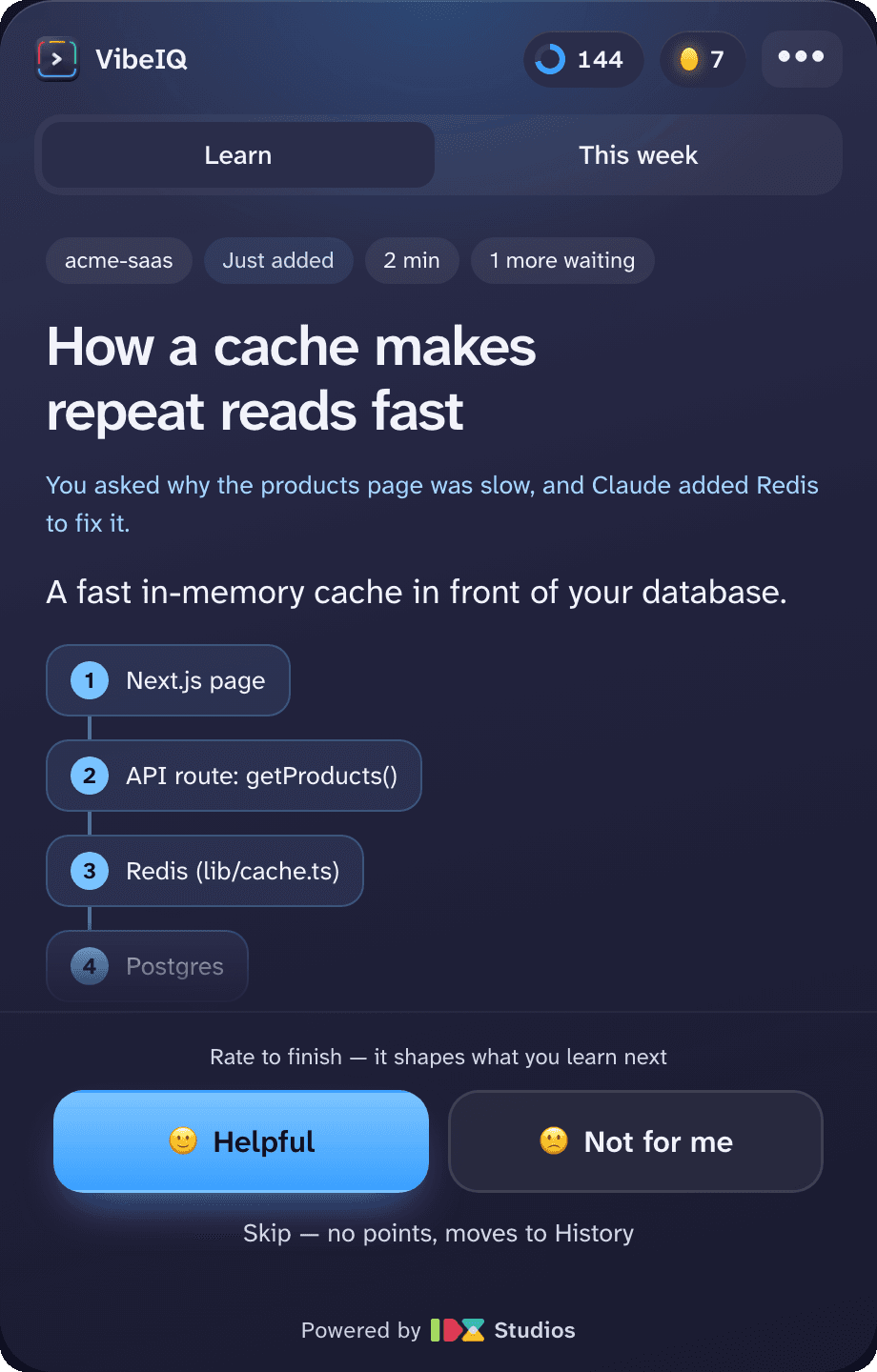
While Claude is heads-down, a short lesson appears in the menu bar: an idea behind what is happening, why it matters, a picture of it, and one thing to try next time.
Check it, keep score
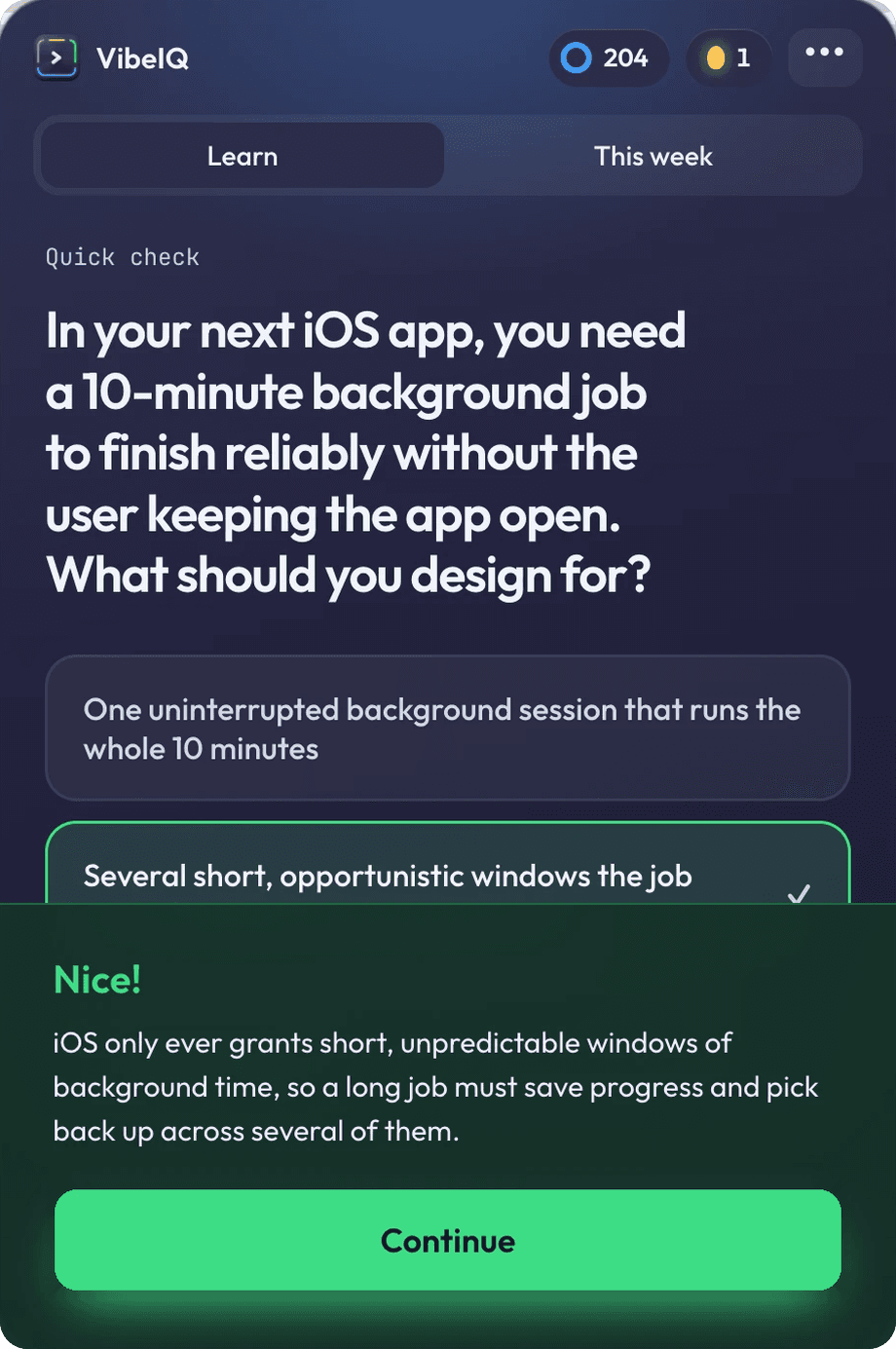
A quick question on what you just read, aimed at the next thing you will build. Right or wrong you get the reason, and it counts toward your score and streak.
Lessons, a check, a score and a map
The idea behind what the agent is doing, in plain words that hold in any project. About two minutes, short enough to finish while you wait.
One question after each lesson, set in a different project so it tests the idea, not your memory of the last ten minutes.
Points for lessons and checks, a streak for showing up, and a weekly view of what you learned.
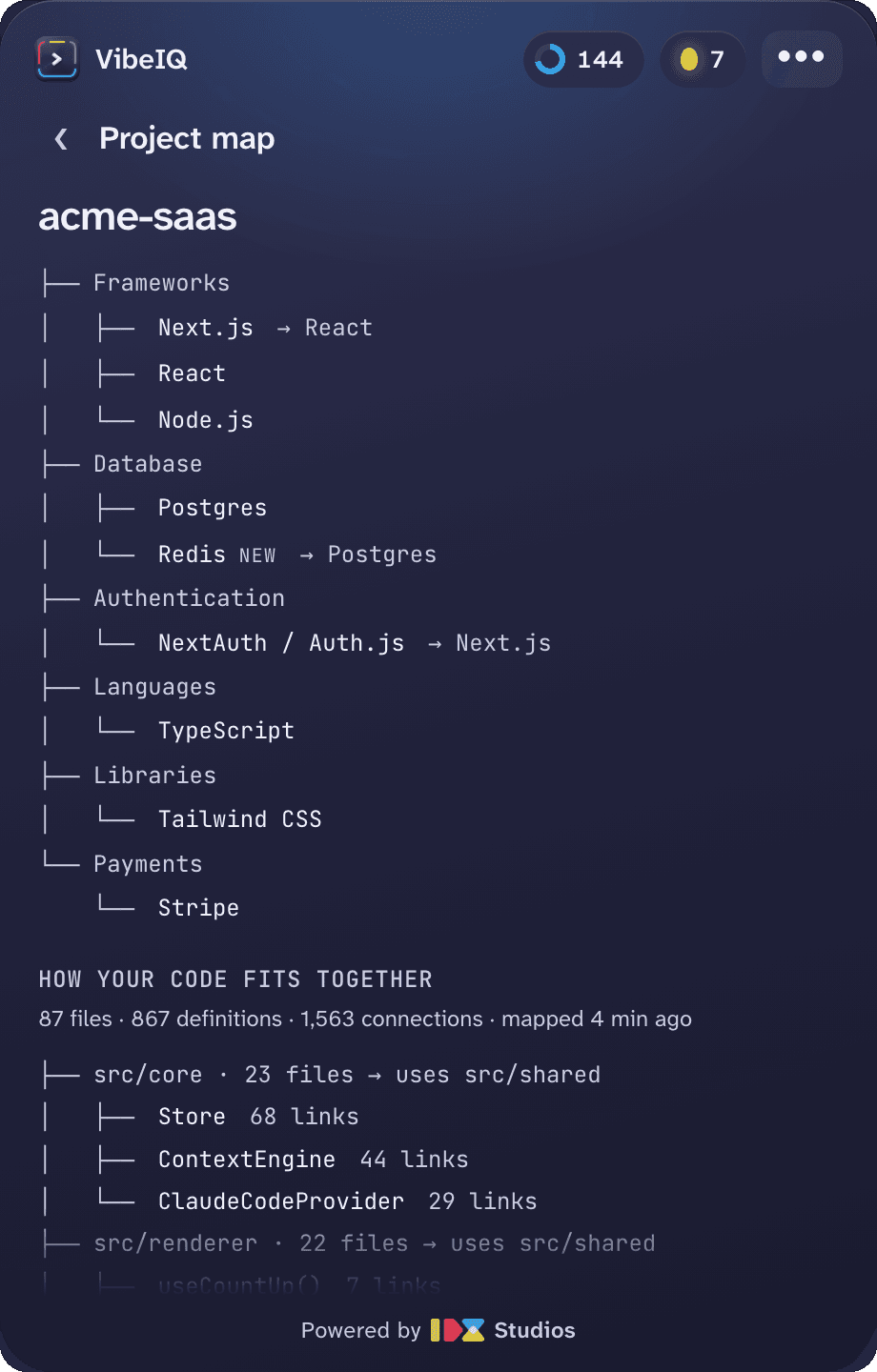
How your code fits together: the main folders, what leans on what, and the busiest parts. Built on your Mac, redrawn after each big change, never sent anywhere.
What it looks like


It never reads your source files
Claude Code already writes a transcript of every session. VibeIQ reads that. Nothing to install into your tools, nothing to configure.
It never reads your source files and needs no repo access or new credentials. To write a lesson it sends Claude a short summary of the session, through your own account. Choose “On this Mac only” and nothing leaves your Mac.
Lessons are written on the Claude plan you already pay for. The app shows what it has used this week.
Try it on your next Claude Code run
Download VibeIQ Mac App
- macOS on Apple Silicon
- Menu bar app
- An Apple Silicon Mac (M1 or later).
- Claude Code, installed and signed in.
- A Claude Pro, Max, Team or Enterprise plan. Lessons are written through your own account and use part of your plan.
- It lives in the menu bar, not the dock. Look for the > near your clock.
Before you try it
- Does it read my code?
- No. It reads the session transcript Claude Code already writes, plus your project's package files. It never opens your source files. To write a lesson it sends Claude a short summary of the session through your own account: your prompts, a short excerpt of the reply and the names of the files touched, never their contents.
- Which agents does it work with?
- Claude Code. VibeIQ watches your Claude Code sessions on your Mac.
- What does it cost?
- The first installs are free, and the download box shows how many are left. Lessons are written on the Claude plan you already pay for, so they use part of its allowance. The app shows what it has used this week.
- Can I keep everything on my Mac?
- Yes. Choose “On this Mac only” in Privacy & data and VibeIQ sends nothing. You get basic lessons from its built-in library, and it works offline.
- Which Macs does it run on?
- Apple Silicon Macs for now. It runs in the menu bar and starts at login if you leave that on.
- Who makes it?
- IDX Studios, in Vancouver. VibeIQ was built in public as part of the Is It Worth Solving? series.
It started as a problem worth checking
VibeIQ is the first build in Is It Worth Solving?, a weekly series where each problem is logged, scored against six fixed criteria and built only if it survives. The wait scored 25 out of 30, and the follow-ups report whether it was worth building, good or bad.